What Is a System Prompt (And Why It's the Most Powerful Thing You're Ignoring)
Every time you open ChatGPT or Claude and type a message, there is text the model has already read — text you didn’t write, text you typically can’t see, and text that has more influence over the response you’ll get than anything you type yourself.
That text is the system prompt. And most people interacting with AI today have no idea it exists.
What a System Prompt Is
A system prompt is a block of instructions passed to a language model before any user interaction begins. It sits in a privileged position in the model’s context — above the conversation — and defines the operating conditions for everything that follows.
In most production deployments, the system prompt specifies four things:
- Who the model is (persona, role, identity)
- What the model should and shouldn’t do (scope, restrictions, permissions)
- How the model should behave (tone, format defaults, reasoning style)
- What the model knows about the current context (company information, product details, current date, user data)
When a customer service chatbot refuses to discuss refunds over a certain amount, that rule is in the system prompt. When a coding assistant always includes comments in its output, that’s a format instruction in the system prompt. When an AI product always refers to itself by a custom name, that identity was assigned in the system prompt.
The system prompt is the layer where a generic base model becomes a specific, configured tool.
Why System Prompts Have More Weight Than Your Messages
This is the part that matters for anyone who uses AI regularly, not just developers.
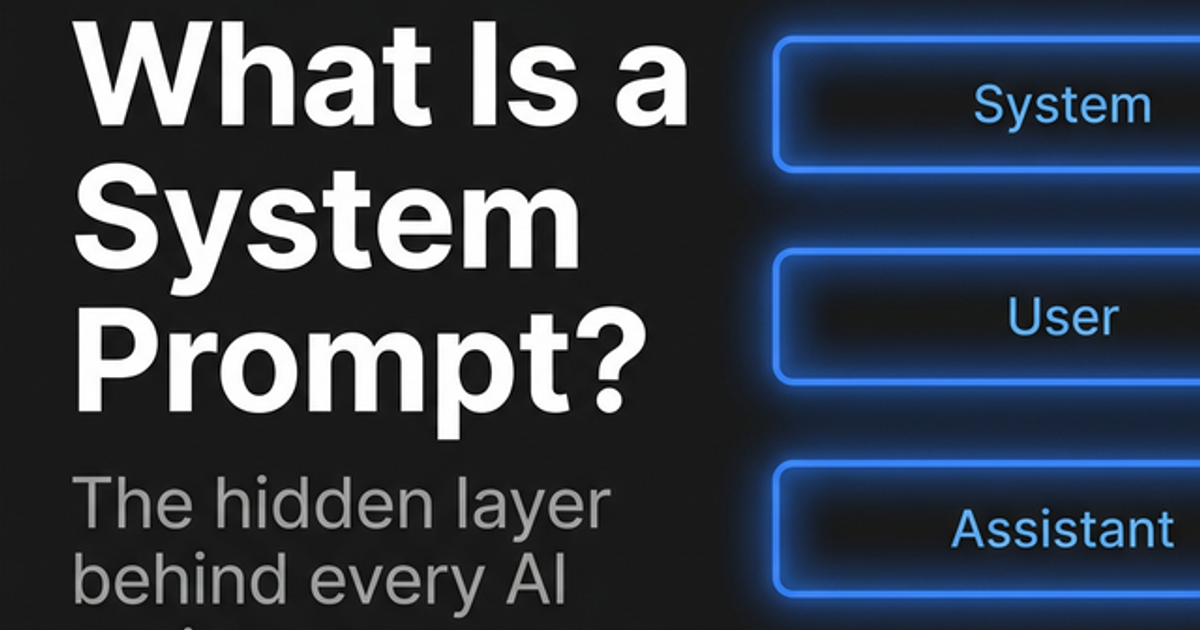
In the architecture of a typical language model interaction, there are two distinct input channels: the system turn and the user turn. The system turn is processed with higher contextual priority. The model is trained to treat system-level instructions as foundational constraints that shape how it handles everything in the user turn.
Think of it like this: the system prompt defines the room the conversation happens in. Your messages are the conversation. Changing the room changes what kind of conversation is possible.
This is why a carefully written system prompt can make a general-purpose model behave like a domain expert, a strict classifier, or a creative collaborator — while leaving the user-facing prompt simple. The complexity is front-loaded into the system, not repeated in every user message.
It is also why prompt injection attacks are structurally dangerous. As I covered in Prompt Injection Attacks Demystified, adversaries who can get the model to read malicious instructions in retrieved data are attempting to override system-level intent with content from the user or data layer. The system prompt isn’t a hard security boundary — it’s a high-priority probabilistic influence, and that distinction has real consequences.
System Prompts vs. User Prompts: The Practical Difference
If you’re using a chat interface directly — not building an application — you still interact with system prompts, just often without realizing it.
In consumer products: The system prompt is controlled by the product company. OpenAI, Anthropic, and Google each have their own base system prompts that configure safety behaviors, response style, and capability boundaries for ChatGPT, Claude, and Gemini respectively. You can observe its effects but typically can’t override it.
In API access: You control the system prompt entirely. The model arrives as a blank slate; you define the operating conditions from scratch. This is where most serious applications and AI workflows are built.
In configurable interfaces: Some tools like ChatGPT’s custom GPT feature, or API playgrounds, give users direct access to write their own system prompts. This is the single most powerful configuration option available — and most people who have access to it don’t use it.
What a Good System Prompt Actually Contains
There is no fixed template, but effective system prompts share a consistent anatomy.
Role and Identity
This is where you define who the model is operating as. Not just a job title — a complete professional profile, including specialization, communication style, and perspective. The role shapes the model’s default reasoning mode for everything that follows.
This is the same principle behind role prompting in user-turn messages, but applied at the system level it’s permanent. You define the role once, and it holds for the entire conversation or pipeline session without needing to be repeated.
Scope and Restrictions
What the model should and shouldn’t address. In production applications, this is often the most critical section. “Only discuss topics related to [product]. If asked about competitors, politely decline and redirect.” These aren’t suggestions — they are constraints the model will follow consistently because they’re anchored at the system level.
Behavioral Defaults
Format preferences, length tendencies, hedging behavior, how to handle uncertainty, and communication register. If you want responses under 200 words by default, or always in bullet points, or with a specific sign-off, the system prompt is where to set that — not in every individual user message.
Injected Context
Dynamic information the model needs to operate relevantly: today’s date, the user’s name or role, the current state of a workflow, product information. For automated pipelines, this is often generated programmatically and inserted into the system prompt at runtime.
Why This Matters If You’re Not Building Anything
Even if you’re not building an AI application, understanding system prompts changes how you use the chat interfaces you already use every day.
It explains why the model behaves consistently. When Claude has consistent opinions about safety topics, or when ChatGPT’s tone stays stable across very different conversations, that consistency is system-prompt-driven. You’re not talking to a neutral entity; you’re talking through a configured layer.
It shows you what’s actually configurable. Most inconsistencies people blame on the model — tone not quite right, format never what you wanted, always adds disclaimers — are system-prompt-level defaults that can be overridden in API access or by building your own custom assistant. The model isn’t failing you; the configuration is just not yours.
It clarifies where to put permanent instructions. If you catch yourself writing the same role or behavioral instruction in every single prompt, that instruction belongs in a system prompt. The Prompt Scaffold tool handles user-turn prompt assembly — but once you’ve identified what you want in every interaction, that belongs at the system level.
Writing Your First System Prompt
If you have access to an API or a custom assistant interface, here is the minimal structure that produces a reliably configured model:
You are [specific role with specialization and behavioral descriptor].

Your primary task is [what you want the model to do in this context].

Guidelines:
- [Behavioral rule 1]
- [Behavioral rule 2]
- [Specific restriction if applicable]

Output format: [How responses should be structured by default]
That’s it. No philosophical preamble. No paragraph explaining the importance of being helpful. The model doesn’t need motivation — it needs constraints.
A common mistake is writing a system prompt that’s aspirational rather than operational. “Always be thoughtful and consider multiple perspectives” produces no meaningful constraint. “Before answering any question, state your confidence level on a scale of 1–5 and the primary uncertainty you have” is an operational instruction that changes output structure every time.
The difference between a well-structured prompt and a vague one is the same at the system level as it is at the user level: specificity determines output quality.
The Compounding Effect
Here is the practical reason to care about this: every conversation you have with a well-configured system prompt is more efficient than one without it.
You stop restating context. You stop correcting tone. You stop reformatting outputs. The model already knows its role, its limits, and how you want responses shaped. That overhead moves out of every conversation and into a one-time configuration cost.
For repeatable workflows — weekly summaries, code review sessions, draft feedback, research tasks — a written system prompt is what turns an occasional AI interaction into a reliable process. It’s the difference between asking someone a favor each time you need something and hiring someone who already knows the job.
Related reading:
- The Anatomy of a Perfect Prompt — How the six structural components of a prompt work, and why role sits at the foundation of all of them
- Role Prompting: Give Your AI a Job Title — The mechanics of role as a prompt component, with specificity guidelines and templates
- Prompt Injection Attacks Demystified — Why system prompts are not a security boundary, and what that means for developers building AI applications
- Prompt Scaffold — A structured tool for assembling Role, Task, Context, Format, and Constraints in the user turn before you run a prompt